Explore lifting progress
Use session volume and estimated strength to assess an exercise.
How to use it
- Open Progress → Lifting → Exercises.
- Choose an exercise.
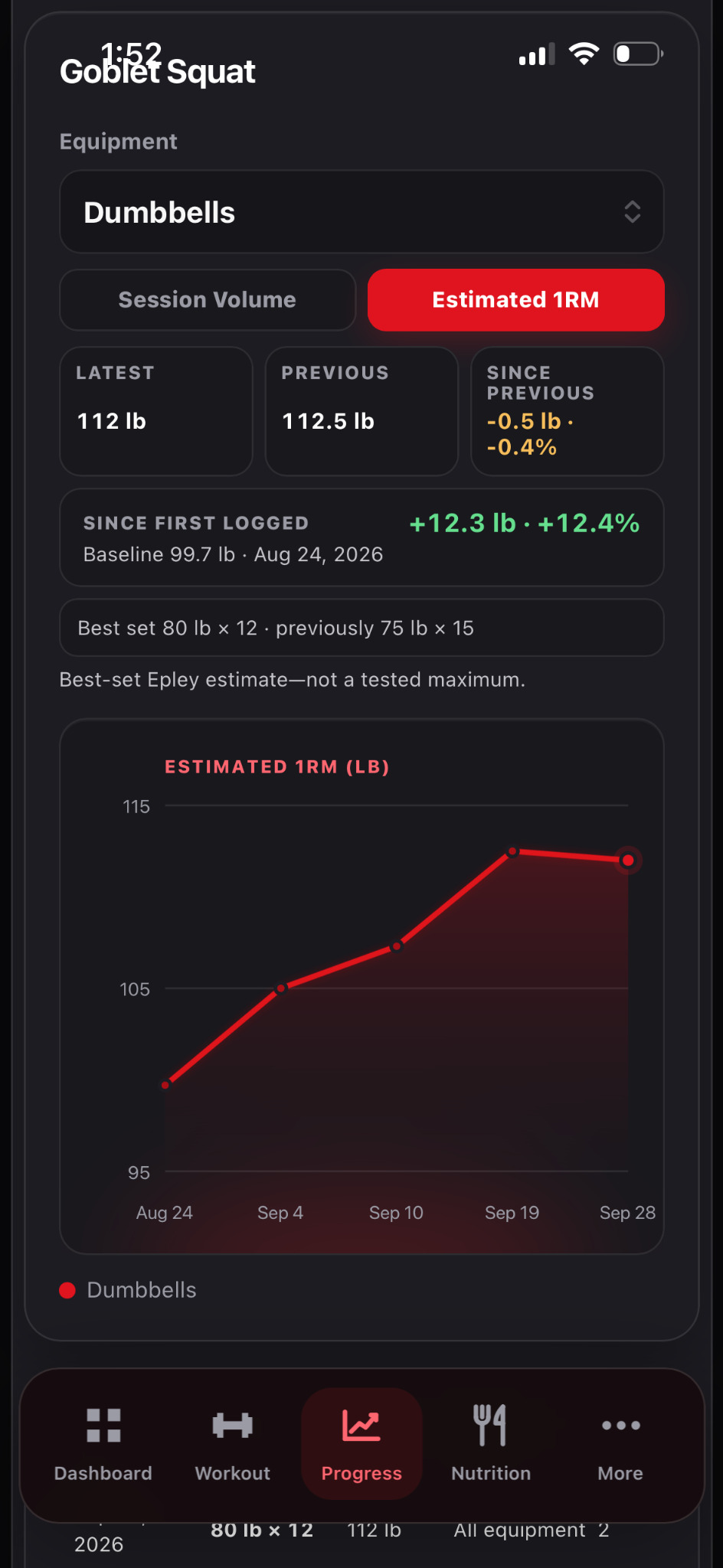
- Switch between Session Volume and Estimated 1RM.
- Compare several sessions with similar execution and rep ranges.
See it in Level Up
What the evidence means
Estimated 1RM is a proxy derived from logged sets. A jump may reflect effort, technique or rep range as well as strength.
The exact calculation
Level Up uses the Epley estimate for weighted working sets. It is an estimate of what a single repetition might correspond to from the load and completed reps, not a test of your true maximum.
Estimated 1RM = load × (1 + reps ÷ 30)100 lb for 8 reps gives 100 × (1 + 8 ÷ 30) = 126.7 lb estimated 1RM. A later 105 lb for 7 reps gives 129.5 lb, so estimated strength rises even though the rep count falls.
The app scores each valid weighted set and keeps the highest estimate for that exercise and equipment profile in a session. Values displayed on charts or badges may be rounded, but comparisons use the underlying score. Bodyweight-only rep records use reps instead.
How to interpret the graph
Compare the same movement and machine setup across sessions. A changed range of motion, spotting, exercise variant or effort can change the estimate without a comparable gain in strength. Prediction equations have error and tend to be less reliable when a set is very far from maximal effort or the rep count is high.
Sources
- Mayhew et al. — accuracy of 1RM prediction equations. The Epley equation above is the specific calculation implemented by Level Up.